Start with a question.
When is the request accepted? Where does a failure go? Build the diagram around what a reader needs to understand.
THE OPEN DIAGRAM VISION
Describe the system. Let your agent draw it. Keep the result as clear, portable HTML—without another diagramming subscription.
HTML/CSS skill available now. A small JS + CSS authoring library is our next step.
ONE PROMPT · CLAUDE CODE · CURRENT SKILL
A good diagram makes the distinction obvious.
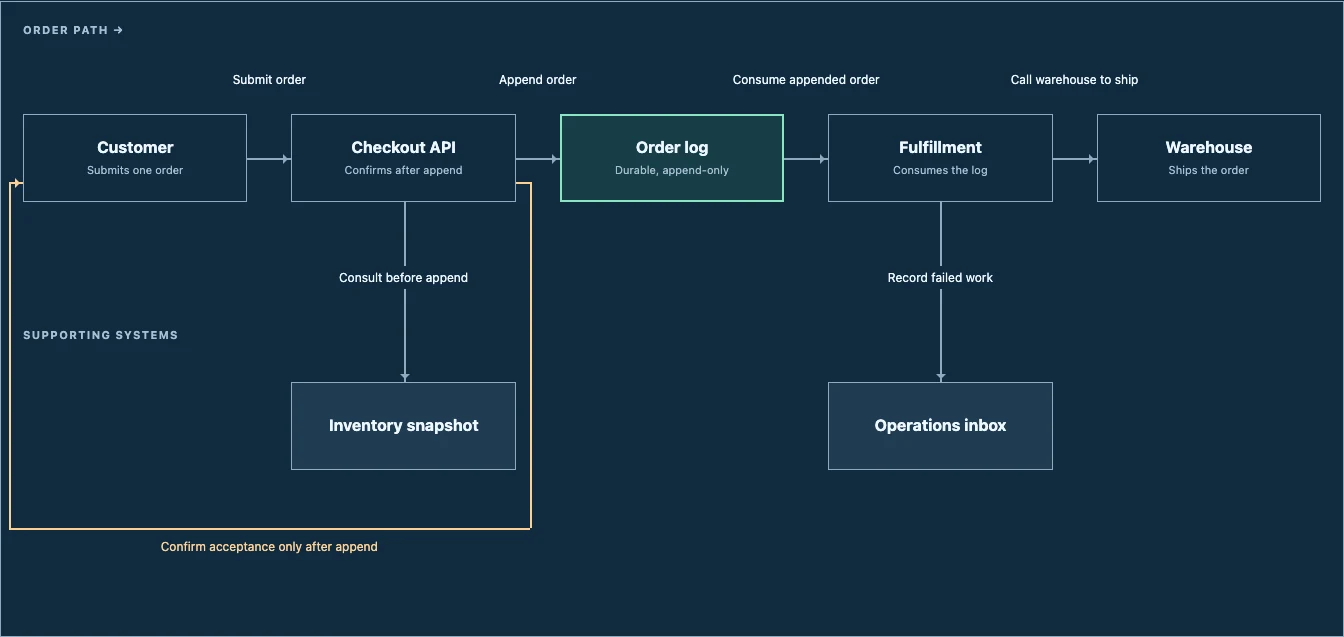
Claude read the installed skill and wrote this HTML with file tools. No rendering runtime or visual correction loop during creation. We reviewed it afterward.
One successful trial, not a promise that every prompt gets a perfect result.
WHAT WE ARE SOLVING
When is the request accepted? Where does a failure go? Build the diagram around what a reader needs to understand.
Spacing, labels, and connector routes should follow shared rules. An agent should not have to nudge every box into place.
The diagram, its assumptions, and its sources belong together. HTML keeps them readable, editable, and shareable in one file.
THE EXPLORATIONS
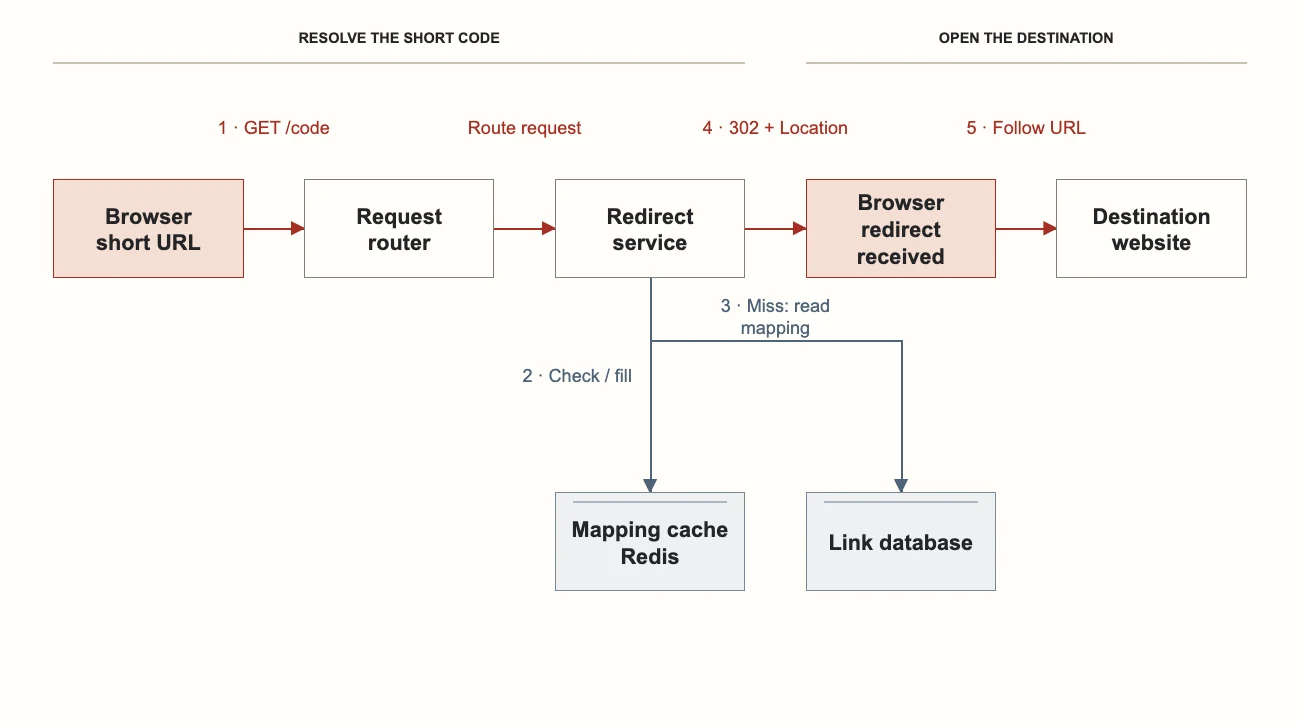
These earlier experiments used a local JavaScript renderer and exported static HTML. They helped establish the visual approach behind the current skill.
 Open the HTML example
 URL SHORTENER · EDITORIAL
Follow one request. Keep the supporting systems out of the main reading path.
Compare the blueprint style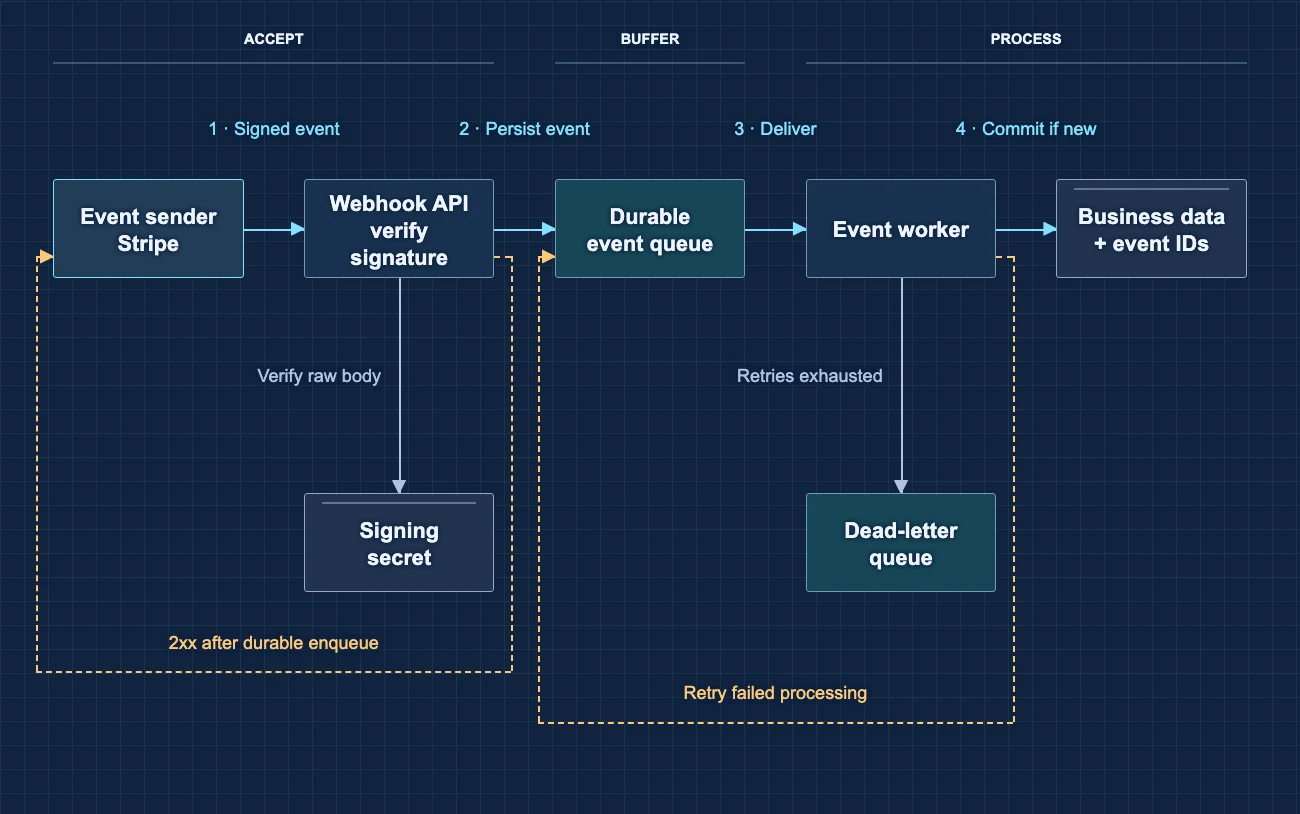 Open the HTML example
 WEBHOOK RECEIVER · BLUEPRINT
Make the difference between accepted and processed visible. Give retries their own route.
Compare the editorial style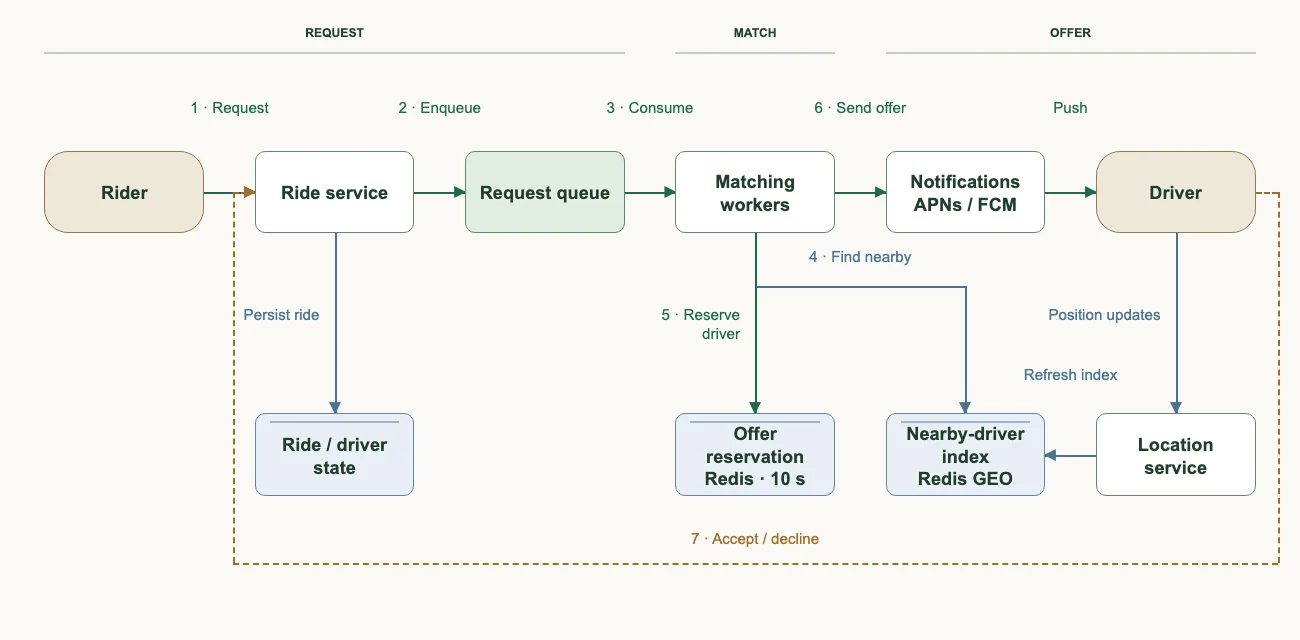
WHERE WE STARTED · RIDE DISPATCH
Follow a ride request to a driver offer. Show enough architecture to explain that journey.
Explore the diagramProposed design exercises, not verified company production architectures. Each full artifact includes its scope and sources.
THE NEXT STEP · PROPOSED LIBRARY
A small, open-source JS + CSS authoring library. A few well-tested layouts. Plain HTML you can keep.
Nodes, relationships, boundaries, sources, and the question it answers.
Consistent spacing, routed connectors, clear labels, and swappable themes.
HTML + CSS. Open it locally, keep it in Git, or share it on the web.
The library would run while authoring. The exported diagram would not need it. Your agent creates the file; share/artifacts publishes it.
BUILDING IN THE OPEN
A free HTML/CSS workflow skill for agents with file tools. Focused flows, supporting nodes, and feedback routes.
Validate a spec, compute the layout, export static HTML. Keep first use as simple as the skill is today.
Use repository changes to propose diagram updates. Preserve what did not change. Let the owner review and publish.
The skill is free and MIT-licensed. The planned authoring library is intended to be free and open source. Your agent or model costs are separate; optional share/artifacts hosting has its own plans. Local diagram creation does not require a hosting subscription.
The current skill supports focused workflows, not arbitrary graphs. It needs no separate rendering runtime. The JS library and repository-driven updates are future work. Published artifacts remain static; this does not add arbitrary JavaScript support.
Free diagram editors already exist—draw.io is one. Our focus is readable, agent-authored explanations that stay portable.
START WITH ONE SYSTEM YOU NEED TO EXPLAIN
“Use create-workflow-diagram to explain our checkout flow. Show when an order is accepted, what happens later, and where failed work goes.”
Install the skill first, then give your agent the relevant system notes or code.