For larger text, use “Read or print.”
Conveyor
Large state frames, stable identifiers and returned-item evidence teach a sequential FIFO queue.
Design study · 5 slides
Using Claude Code or Codex? Install the free presentation skill.
Source and instructions
Source notes
First-party teaching brief. The queue and API are toy examples, not a production implementation or benchmark.
Audience: new engineers learning a plain first-in, first-out (FIFO) queue. This lesson is sequential and does not cover priorities, concurrency, retries or performance.
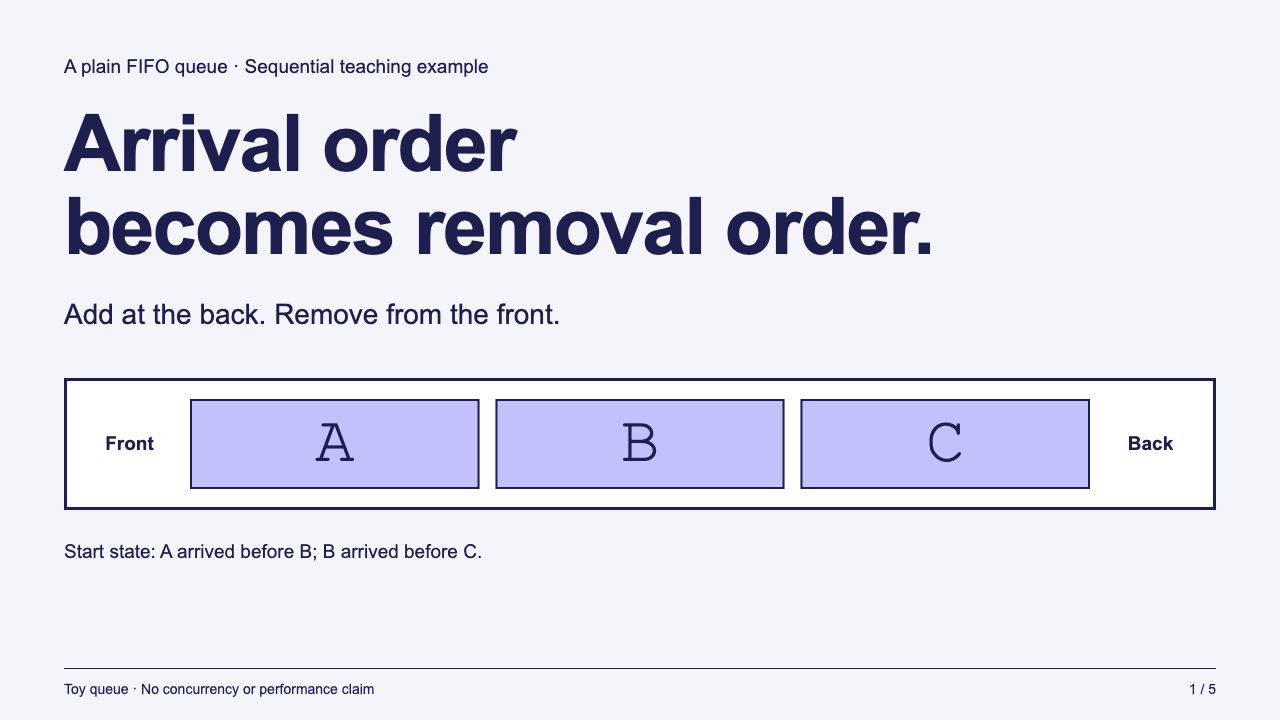
An item is added at the back and removed from the front. Arrival order is preserved in this FIFO example. Draw front on the left on desktop; a narrow vertical layout may put front at the top, with labels retained.
Start state: front[A,B,C]back. enqueue(D) produces[A,B,C,D]. dequeue() returnsA and leaves[B,C,D]. A second dequeue() returnsB and leaves[C,D]. A later enqueue(E) produces[C,D,E]. Then three dequeue() calls returnC,D,E in that order and leave an empty queue.
For this toy API only, dequeue() on an empty queue reports EMPTY and returns no item. Other APIs may choose a different empty-queue behavior; do not make our toy result universal.
Five-slide lesson: establish FIFO and initial order; enqueueD; removeAthenB; addEanddrainC,D,E; checkemptyAPIboundary. Keep every displayed state and returned item consistent. Do not invent capacities, timing, memory cost or correctness under concurrent access.
Design instructions
Use the Conveyor direction for a teaching deck about ordered operations or changing state. Make the state itself the evidence: show before and after, name the operation, keep identifiers stable, and distinguish what is stored from what is returned. Preserve the supplied API's boundaries. Do not turn a toy return value, capacity, timing or sequential example into a universal implementation guarantee.

Use near-white (#f5f6fc), dark indigo (#22235b), lavender (#c9c9ff), apricot (#ffaf87) and white. Pair heavy Arial or Helvetica headlines with large Courier New tokens and literal operation names. Put the state in a wide, open frame with visible entry/exit or front/back labels. Highlight only the item or region changed by the operation; a dashed outline and a text label should explain the highlight without relying on color. Vary the frame's job across the lesson: initial order, a new item, a returned result, a drained state and an API boundary. Do not repeat decorative cards around every sentence.

Draw only the states and transitions supported by my content. Keep return values beside the operation that produces them. Reflow horizontal sequences into vertical order on a narrow screen, moving the endpoint labels with them. Never let a wrapping grid silently change reading order. If the subject is not an ordered-state lesson, use another composition instead of forcing it into a queue metaphor. Imagery is optional; a precise native diagram is usually the clearest evidence here. Use an authorized real object or generated conceptual context only when it improves understanding, with a complete image-free state walkthrough if unavailable. Do not inherit the example's letters, API, transitions or slide count.

Use my supplied content and the format I requested. Keep its facts, numbers, denominators, uncertainty and conclusion. Do not inherit the example deck’s story, figures or recommendation. The visual direction guides design; the audience and argument determine the slide sequence.

Check the tools available in this session. When an image would improve the presentation and a suitable generation tool is available, generate an original image or use an asset I am authorized to supply. If optional generation is unavailable or fails, continue with a complete image-free composition. Reclaim the space, leave no placeholders, and do not ask me to enable a tool or delay the deck for optional imagery. Mention a failure in the handoff rather than on audience-facing slides. If I explicitly require a particular image, preserve that requirement and explain any unmet dependency.

Keep text and evidence selectable. For HTML, use one self-contained static document with embedded CSS, compressed data images and licensed embedded fonts when needed; do not add scripts, forms, remote calls or authored slide controls. Preserve font licenses and asset provenance. Label conceptual or generated imagery when it could be mistaken for real product, customer or event evidence. Never invent a product screenshot to prove a feature.

Render every slide and inspect the actual result before handing it over. Check crop, contrast, type hierarchy, labels, overflow and source fidelity. Use at least 4.5:1 contrast for body text and 3:1 for large text. Check the destination’s file/data-image limits before any separately authorized publication. If visual checking is unavailable, say so in the handoff.About this design study
Five slides follow a toy queue through additions, removals and an empty result while keeping front, back and returned items explicit. This is an authored teaching study with a toy API. Its empty-result behavior is specific to the example; it makes no implementation, concurrency or performance guarantee.