For larger text, use “Read or print.”
Trace
Directed messages, terminal branches and a named job trace distinguish a receipt from a successful result.
Design study · 5 slides
Using Claude Code or Codex? Install the free presentation skill.
Source and instructions
Source notes
First-party fictional workflow teaching example. No real product, deployment, HTTP standard, screenshot or measured latency is represented.
Audience: new engineers learning to distinguish acknowledgement from successful asynchronous processing.
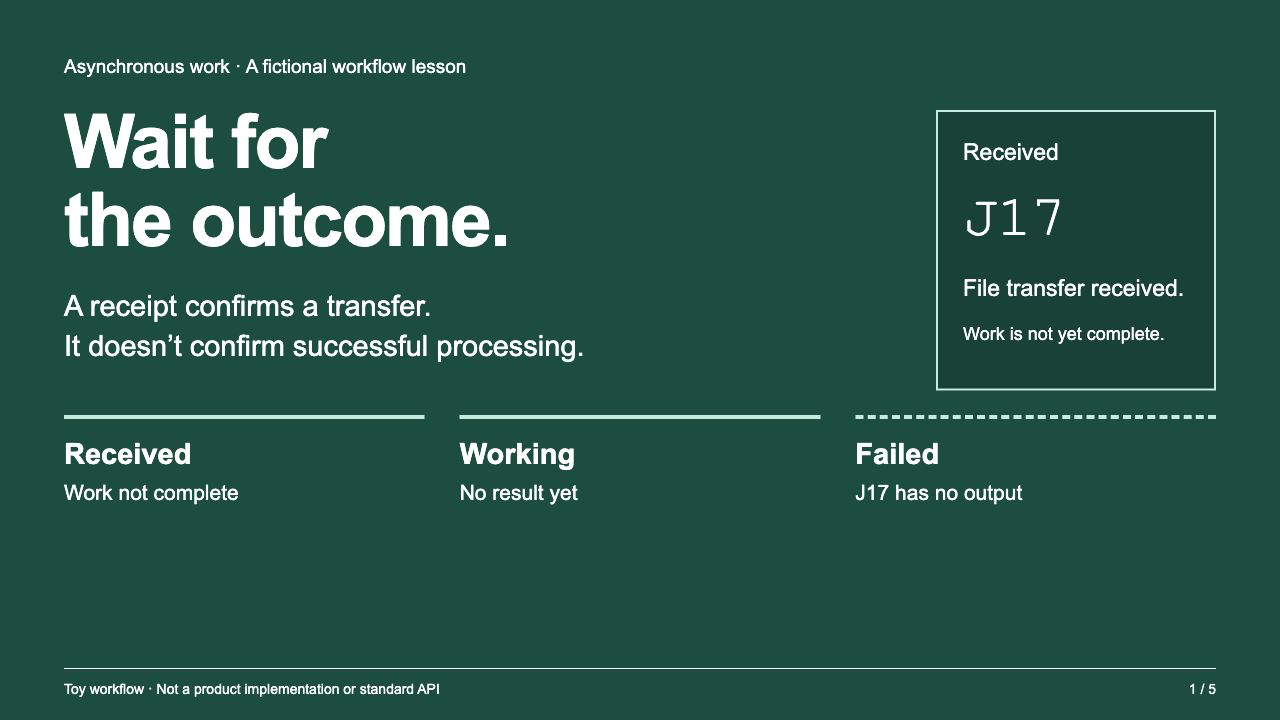
Toy workflow actors: Browser, Receiver and Worker. Browser submits a file. Receiver acknowledges receipt with jobIDJ17 and puts the job on a work list. That acknowledgement means the file transfer was received, not that processing succeeded. Worker begins later. Browser can check status with the same jobID; do not add polling cadence, webhooks, retry rules or durability guarantees.
Toy statuses: Received=file transfer received, work not yet complete. Working=worker processing. Ready=output is available. Failed=processing stopped without an available result. Ready andFailed are the two terminal outcomes in this example. Received andWorking must not be displayed as successful completion.
Illustrative J17 event sequence in seconds: t+0submit; t+1Received; t+4Working; t+9Failed. These are made-up walkthrough timestamps, not service levels or performance measurements. In this sequence no Ready event occurs and no output is available.
Show the general possible Ready/Failed branch separately from the actual failedJ17example. Do not silently convert the failure to success, add an automatic retry, invent a root cause or imply an implemented architecture. Close with the teaching point: retain the jobID, distinguish receipt from outcome, and show the terminal status before presenting a result.
Design instructions
Use the Trace direction to explain a handoff, asynchronous operation or evidence trail. Separate the general possible state model from one observed or illustrative event sequence. Keep actor names and identifiers consistent. Show what an acknowledgement proves, what remains unfinished and which supplied states are terminal. Do not invent an architecture, retry, polling cadence, delivery guarantee or failure cause that my material does not support.

Use teal (#005947), near-white green (#edf8f4), dark ink (#142223), a pale mint reading surface and accessible burnt orange (#a33b00) for a labeled adverse outcome. Pair confident Arial or Helvetica headlines with monospace only for real identifiers or literal status values. Use actor swimlanes, explicitly directed messages, a separate terminal-state branch and a timestamp trace. Let the reader follow a named piece of work from receipt to outcome. A status panel is explanatory material, not an invented product screenshot. Use words and line styles alongside color.

Mark illustrative timings as illustrative; do not imply equal spacing is elapsed time unless the scale is proportional. Keep a failed sequence failed when the source supplies no successful result. Reflow the lanes carefully on phones while retaining the actor names and direction in each message. Use only relationships supported by the source, and label a conceptual workflow so it is not mistaken for an implemented system. Images are optional and often unnecessary: use native diagrams for the evidence, and a complete diagram-only version if optional image generation is unavailable. Do not copy this example's job ID, status contract, timings or narrative.

Use my supplied content and the format I requested. Keep its facts, numbers, denominators, uncertainty and conclusion. Do not inherit the example deck’s story, figures or recommendation. The visual direction guides design; the audience and argument determine the slide sequence.

Check the tools available in this session. When an image would improve the presentation and a suitable generation tool is available, generate an original image or use an asset I am authorized to supply. If optional generation is unavailable or fails, continue with a complete image-free composition. Reclaim the space, leave no placeholders, and do not ask me to enable a tool or delay the deck for optional imagery. Mention a failure in the handoff rather than on audience-facing slides. If I explicitly require a particular image, preserve that requirement and explain any unmet dependency.

Keep text and evidence selectable. For HTML, use one self-contained static document with embedded CSS, compressed data images and licensed embedded fonts when needed; do not add scripts, forms, remote calls or authored slide controls. Preserve font licenses and asset provenance. Label conceptual or generated imagery when it could be mistaken for real product, customer or event evidence. Never invent a product screenshot to prove a feature.

Render every slide and inspect the actual result before handing it over. Check crop, contrast, type hierarchy, labels, overflow and source fidelity. Use at least 4.5:1 contrast for body text and 3:1 for large text. Check the destination’s file/data-image limits before any separately authorized publication. If visual checking is unavailable, say so in the handoff.About this design study
Five slides explain a fictional asynchronous workflow, preserving the failed example and separating illustrative timestamps from performance promises. This is an authored teaching study. The actors, job and timings are illustrative; the diagram is not an implemented architecture, product screenshot or standard API contract.