One good-looking AI presentation is a demo. For work, I want the next five decks to look like they came from the same company.
The product update, the business review and the launch plan should share a visual identity. They should not need the same content or the same layout on every slide.
If you already have an agent you like working with, you should be able to bring that design into the conversation. You should not have to switch to another AI presentation app just to get a consistent result.
That is why we added reusable presentation templates to share/artifacts. Your agent creates and edits the deck. We keep the design available for the next task and give the finished presentation a place to be viewed and shared.
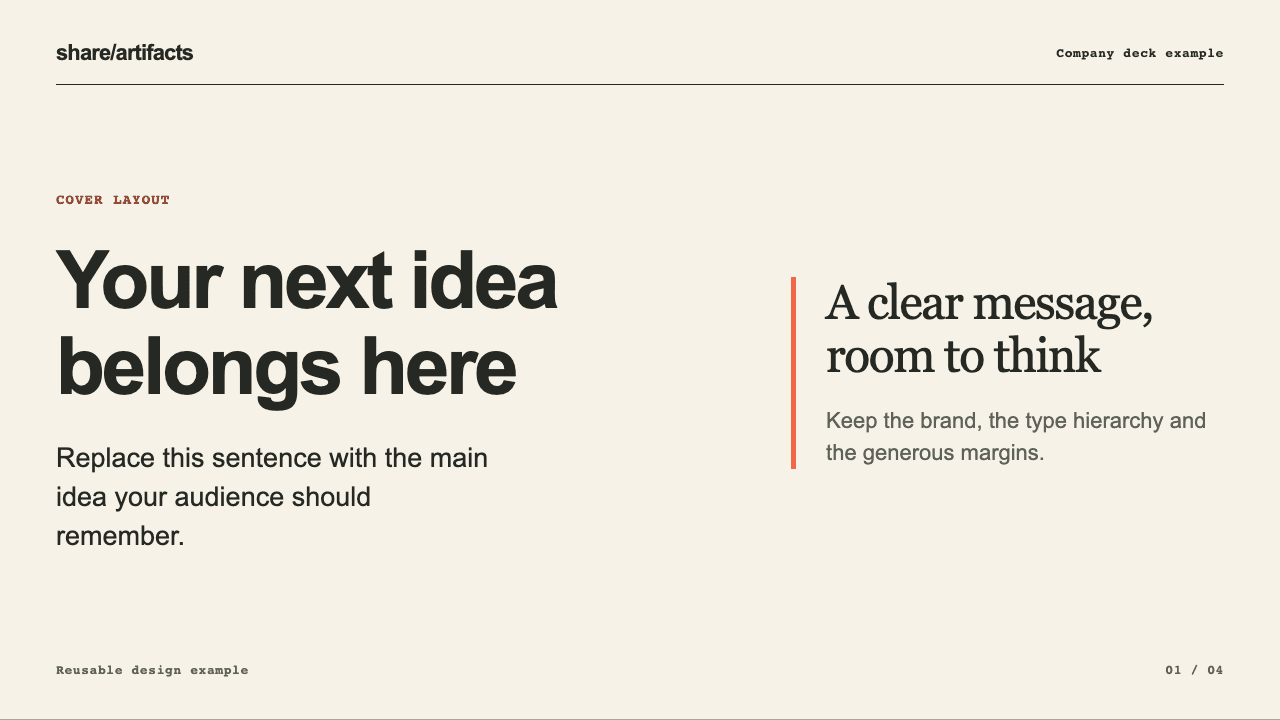
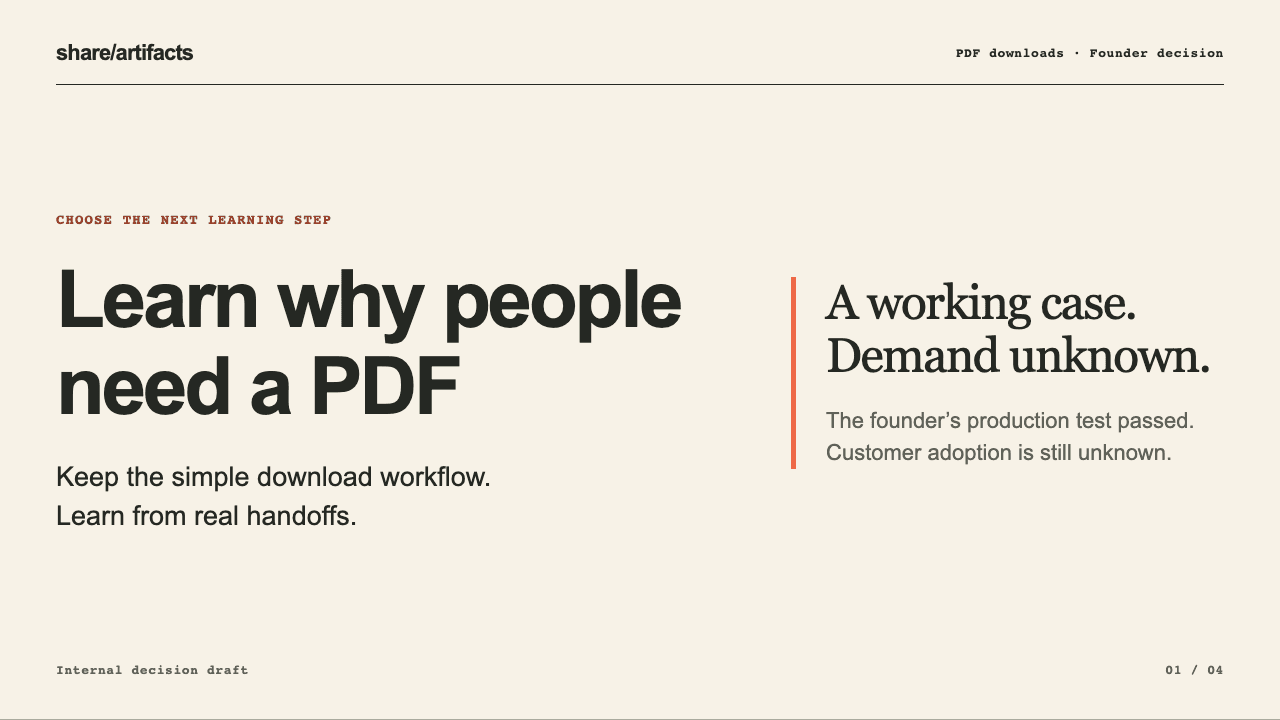
Keep the design. Replace the facts.
“Use our company style” leaves a lot for an agent to interpret. Which font sizes? How much space? What does a comparison slide look like? Where do labels go on a chart?
A useful template gives it concrete examples: the colors, typography, spacing and layouts you want it to work from. It is more specific than a color palette or a prompt saying “make it professional.”
But it should not preserve last month’s conclusions. A business review with falling conversion needs a different headline from one showing growth. The design can carry over; the argument has to come from the new evidence.
In share/artifacts, a template is a named HTML design example. When preparing it, ask your agent to replace project-specific figures, names and commitments with placeholders. You want the design to carry over, not old facts.
Start with the company deck you already have
You do not need to invent a new brand for this. Give your agent a deck you are allowed to use, screenshots, or a description of the look you want.
If your agent can read your PowerPoint file, it can use that as a design reference and prepare a reusable HTML version. share/artifacts stores the HTML template; it is not an automatic PowerPoint importer.
With share/artifacts connected, the request can be straightforward:
Use this deck as a design reference. Keep the colors, typography and useful layouts, but replace project-specific content with placeholders. Prepare a reusable template in share/artifacts and show me the preview before saving it.
Review the result, ask for changes, then approve saving the template privately to your account. That approval saves the design. It does not publish a presentation.
You now have an example your agent can retrieve, rather than a set of design decisions you have to explain again.
A new conversation should not mean a new design
The next deck can start with fresh notes and a short request:
Use my saved company template for this presentation. Use the attached notes for the facts, adapt the layouts to the message, and show me the draft before publishing.
A compatible agent connected to the same share/artifacts account can find and retrieve that template. It does not need the conversation where you created it.
That matters if you start a new session or choose a different agent. The saved design belongs to your account, not to one chat history, and stays private to that account.
We tested this with two connections on the same account. A fresh agent context received the saved template and new notes, without the earlier conversation. The result was a different presentation using the same cream background, charcoal typography, coral accent and layout system.
Consistency does not mean identical slides
I do not want a template that forces every idea into the same boxes. A comparison, a sequence and a recommendation are different things to explain.
HTML lets the agent adapt the layout while keeping the visual language. A template supplies a useful starting point, not a rule that every presentation must have the same number of slides.
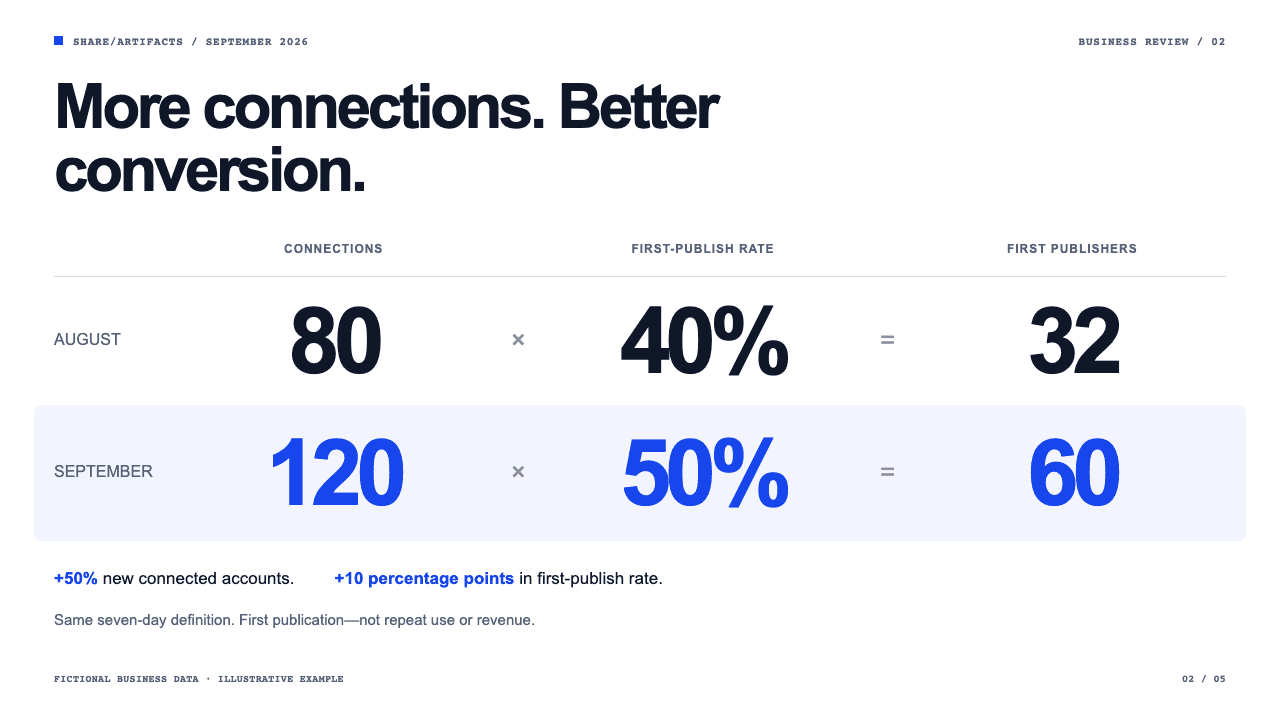
Our new Executive Signal design shows another way to do this. Its comparison layout puts the two periods, the figures and their relationship in one view. Other slides use large numbers or a workflow when those explain the point more clearly.
The business-review example uses those layouts to show a result, explain the comparison and propose a next step. Its figures are sample data. The point is the design: different ways to communicate within one consistent presentation.
The agent is yours. The reusable pieces should be too.
I still want you to bring the argument, the evidence and what you want people to understand. A saved template does not make an agent’s conclusions correct. You review the story and the numbers.
What share/artifacts adds is the reusable part of the workflow: recipes to guide the presentation, saved templates with actual layouts, and publishing so you can present and share the result.